
How to Choose the Best Laptop for Work, School, or Gaming in 2026
How to Choose the Best Laptop for Work, School, or Gaming in 2026
Welcome to the ultimate guide on finding the perfect portable powerhouse. Whether you are a student navigating a hybrid learning environment, a professional editing 4K video on the go, or a competitive gamer trying to rank up, buying a laptop in 2026 requires navigating an exciting but complex landscape of cutting-edge technology.
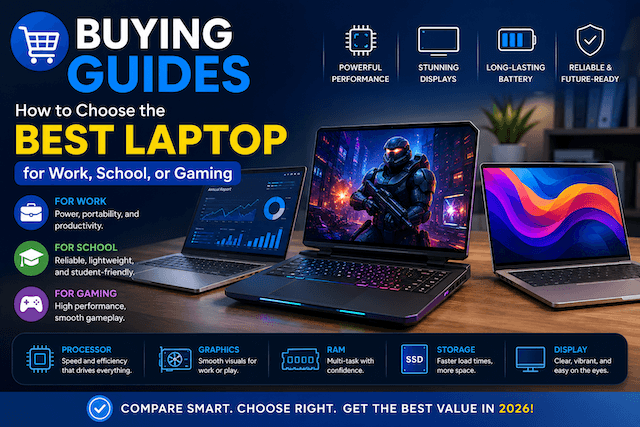
As highlighted in our header graphic, image_7660cc.png, having a definitive buying guide is essential. The laptop market has evolved drastically. To help you make the best purchasing decision, this comprehensive 2000+ word guide breaks down the data, the specs, and the current state of the market, ensuring you get the absolute best value for your hard-earned money.
The 2026 Laptop Market at a Glance
Before we dive into the technical specifications, it helps to understand the market you are buying into. The global laptop industry has seen massive growth and technological shifts, largely driven by hybrid work setups, AI integration, and extreme gaming performance.
Market Size & Growth: The global laptop market size is expected to increase from USD 171.89 billion in 2025 to a staggering USD 184.94 billion in 2026.
Consumer Trends: Consumer refresh intervals have extended from 4.2 years in 2020 to 5.7 years in 2025. Because people are keeping their devices longer, future-proofing your purchase with right specs is more critical than ever.
Form Factors: Traditional notebooks led the market with a 46.31% revenue share in 2025, but 2-in-1 convertibles are showing the fastest forecast growth.
Pricing: The mid-range segment (priced between $500 and $1,000) dominates the market, holding a 46.5% share in 2025. However, premium devices for creators and gamers easily push past the $1,500 mark.
Decoding the Specs: What Do You Actually Need?
When shopping for a laptop, you will be bombarded with acronyms and numbers. Let's translate the marketing jargon into real-world performance metrics.
1. The Processor (CPU): The Brain of the Operation
In 2026, processors have become incredibly efficient, integrating AI processing units (NPUs) directly into the chip to handle on-device machine learning tasks.
Intel: Intel's new Core Ultra "Panther Lake" series leads the Windows pack. For extreme performance, chips like the Intel Core Ultra 9 290HX Plus offer 24 cores (16 Efficiency, 8 Performance) and hit turbo frequencies up to 5.4 GHz. For mainstream productivity, a Core Ultra 5 or 7 provides excellent battery life.
AMD: AMD's Ryzen AI "Gorgon Point" processors, such as the Ryzen AI 9 HX 375, deliver stellar performance and include capable integrated graphics like the Radeon 890M.
Apple: Apple has introduced the M5 chip, which features a 10-core CPU and delivers incredible single and multi-core performance while maintaining legendary battery life.
2. Graphics (GPU): Pixels and Performance
If you play games, edit video, or work in 3D, the GPU is your most important component.
Integrated Graphics: Fine for web browsing, office work, and watching Netflix. Apple's M-series and AMD's Radeon 890M handle casual gaming surprisingly well.
Dedicated Graphics: Nvidia's RTX 50-series "Blackwell" mobile GPUs are the latest on the graphics front.
Entry-Level: An RTX 5050 or RTX 4060 is perfect for 1080p gaming and general content creation.
Mid-Range: An RTX 4070 or 5070-class GPU offers solid 1440p performance.
High-End: The RTX 5080 (with up to 175W max TGP) and RTX 5090 Laptop GPUs are desktop replacements capable of 4K gaming and heavy 3D rendering.
3. Memory (RAM): The Short-Term Memory
RAM requirements have shifted significantly. Browsers, creative apps, and modern operating systems are memory-hungry.
The New Minimum: In 2026, 16GB of RAM is the practical minimum for a gaming or work laptop. Even Apple's base MacBook Air (M5) now starts with a minimum of 16GB of RAM.
The Sweet Spot: If you handle heavy multitasking, video editing, or high-end gaming, 32GB is the recommended target.
Technology: DDR5 technology is the standard, providing faster data transfer rates compared to the older DDR4.
4. Storage (SSD): Your Digital Vault
Modern games and software take up a massive amount of space. A single AAA game can easily exceed 100GB.
Capacity: While 512GB is technically usable, 1TB is more practical for most users. Gamers and video editors should look for 2TB PCIe Gen4 SSDs.
Upgradability: Look for laptops with a second M.2 slot, allowing you to add storage later. Features like ASUS's tool-less Q-Latch system make upgrading NVMe SSDs incredibly simple.
5. Display: Your Window to the Digital World
The display is arguably the component you interact with most. Do not overlook it.
Resolution: 1080p (FHD) is acceptable for budget laptops. 1440p (QHD) or 2.5K is the sweet spot for a balance of sharpness and performance. 4K is reserved for top-tier creator and enthusiast gaming laptops.
Refresh Rate: 60Hz is standard for basic work laptops. For gaming, 144Hz is the entry point, while 240Hz is the sweet spot for fast-paced competitive games like Valorant or Apex Legends.
Panel Tech: IPS panels offer great color and viewing angles. However, OLED and Mini LED panels (like the 18-inch 2.5K 240Hz Nebula HDR Display with over 2K dimming zones) provide unmatched contrast, true blacks, and HDR capabilities.
How to Choose a Laptop for Work
When buying a laptop for professional use, your priorities should lean heavily toward reliability, battery life, keyboard comfort, and portability.
The Corporate Professional
If your daily tasks revolve around spreadsheets, endless Zoom meetings, and web-based applications, you do not need a dedicated GPU.
What to prioritize: A lightweight chassis, a high-quality webcam (1080p or 12MP), a comfortable keyboard, and an all-day battery.
Specs to look for: Intel Core Ultra 5/7 or Apple M5, 16GB RAM, 512GB to 1TB SSD.
Top Picks in 2026: The MacBook Air (M5) remains the absolute best laptop overall due to its strong performance, silent fanless design, and incredible battery life. On the Windows side, the Lenovo ThinkPad X1 Carbon (Gen 11) offers excellent input devices and legendary durability.
The Creative Professional
Video editors, 3D animators, and graphic designers need raw horsepower and pixel-perfect displays. Modern creative software heavily leverages dedicated GPUs for rendering, effects processing, and 3D viewport performance.
What to prioritize: Color-accurate displays (100% DCI-P3), lots of RAM, and a dedicated Nvidia RTX GPU.
Specs to look for: Intel Core Ultra 9 or Apple M5 Max, 32GB to 64GB RAM, RTX 4070/5070 or better, 2TB+ Gen 4/5 SSD.
Top Picks in 2026: Laptops like the Dell XPS 14 or a high-end MacBook Pro are industry standards.
How to Choose a Laptop for School
Students have a unique set of needs. A school laptop must be durable enough to survive being tossed into a backpack, have enough battery to last through a day of classes without hunting for a wall outlet, and be affordable enough on a student budget.
The General Student (High School & Liberal Arts)
If you are writing papers, researching online, and watching YouTube in your dorm, you want maximum portability.
Avoid the Gaming Laptop Trap: Should students buy a gaming laptop? Only if gaming is genuinely part of your plan. Gaming laptops are heavier, hotter, and have poor battery life—all of which are real daily problems in a student lifestyle.
Specs to look for: AMD Ryzen 5 or Intel Core 5, 16GB RAM, 512GB SSD.
Top Picks in 2026: The Apple MacBook Neo, powered by the A18 Pro chip, is the best budget laptop from Apple, offering a premium chassis and bright display for a lower entry price.
The STEM & Design Student
Engineering, computer science, and architecture students run heavier applications like CAD software, local virtual machines, and coding environments.
What to prioritize: Processing power, a dedicated entry-level GPU, and a larger screen for multitasking.
Specs to look for: 16GB to 32GB RAM, 1TB SSD, RTX 4050 or RTX 5050 GPU.
Top Picks in 2026: A mid-range laptop like the ASUS TUF A15 or Lenovo IdeaPad Gaming 3 offers the necessary horsepower for technical software without breaking the bank.
How to Choose a Laptop for Gaming
Gaming laptops are engineering marvels in 2026, cramming desktop-tier performance into portable chassis. However, buying a gaming laptop requires careful attention to cooling and power limits.
Step 1: Set Your Budget Tier
Entry-Level (Under $1,000): Look for an Intel Core i7 paired with an Nvidia RTX 5050 or RTX 4060. This tier is excellent for 1080p gaming at high settings. The MSI Katana 15 HX is a standout budget option.
Mid-to-High ($1,000 - $1,800): Here you will find RTX 4070 or 5070 GPUs capable of solid 1440p performance, usually paired with 165Hz to 240Hz displays.
Enthusiast ($1,800+): True desktop replacements featuring RTX 4090 or RTX 5090 GPUs. These machines handle 4K gaming and offer premium build qualities, like the Razer Blade 18 (2026), which features a dual-mode display (4K @ 240Hz or FHD @ 440Hz) and Thunderbolt 5 support.
Step 2: Mind the Thermals
Thermals and build quality matter more than benchmarks. Two laptops with the exact same GPU can perform drastically differently if one is poorly cooled. The thin chassis constrains cooling, meaning a GPU can perform 10-20% worse in a badly designed laptop. Look for machines with advanced cooling solutions like the ROG Strix G18, which utilizes an end-to-end vapor chamber and Tri-Fan Technology to keep the 80W CPU and 175W GPU cool.
Step 3: Battery Life Reality Check
Under gaming load, virtually no gaming laptop will last more than 1.5 to 2 hours on battery, as the discrete GPU draws too much power. Technologies like NVIDIA Optimus help extend battery life during productivity tasks by switching to integrated graphics, but you should expect to be plugged in during heavy gaming sessions.
Quick Comparison: Which Laptop Type is Right for You?
To simplify your decision, use this quick reference table to find your ideal configuration.
FeatureEveryday / School LaptopProfessional / Creator LaptopHardcore Gaming LaptopTypical CPUIntel Core Ultra 5 / Apple M5Intel Core Ultra 7/9 / Apple M5 MaxAMD Ryzen 9 / Intel Core Ultra 9 HXTypical GPUIntegrated (Intel Arc / Radeon)Dedicated (RTX 4060 / 4070)Dedicated (RTX 5080 / 5090)Minimum RAM16GB DDR532GB DDR532GB DDR5 (Upgradeable)Storage Need512GB SSD1TB - 2TB Gen 4/5 SSD1TB - 2TB Gen 4/5 SSDDisplay Standard1080p / 60Hz1440p / 4K / 100% DCI-P31440p / 240Hz+ / G-SyncBattery Life Target10 - 15 Hours7 - 10 Hours1 - 3 Hours (under heavy load)PortabilityUltra-light (< 3 lbs)Medium (3.5 - 4.5 lbs)Heavy (5 - 7+ lbs)
Essential Interactive Checklist: Before You Buy
Don't hit "Checkout" until you have asked yourself these crucial questions:
What is my primary software? (If you use Adobe Premiere or AutoCAD, you need a dedicated GPU. If you use Google Docs and Chrome, you do not).
How often will I carry this? (A 7-pound gaming laptop gets very heavy in a backpack).
Are the RAM and storage upgradeable? (Apple laptops cannot be upgraded after purchase. Many Windows laptops, like the ASUS ROG Strix series, allow easy RAM and SSD upgrades).
What is the webcam quality? (In the era of hybrid work, settle for nothing less than a 1080p camera).
What is the port selection? (Do you need HDMI out? SD card readers? Thunderbolt 4 or 5 for fast data transfer?)
The Final Verdict
Buying a laptop in 2026 is an investment in your productivity, education, and entertainment. The market has matured, offering fewer bad choices but vastly more nuanced ones.
For students and casual workers, thin-and-light machines powered by Apple's M5 or Intel's Core Ultra chips provide an unprecedented mix of battery life and everyday speed.
For creative professionals, the gap between desktop workstations and laptops has practically vanished, provided you invest in 32GB of RAM and a dedicated Nvidia GPU.
For gamers, the arrival of the RTX 50-series GPUs combined with ultra-fast, color-accurate OLED and Mini-LED displays means portable gaming has never looked or felt better.
Always look past the flashy marketing. Check independent reviews for thermal performance, ensure the keyboard feels right for your hands, and remember that investing slightly more in 16GB or 32GB of RAM today will keep your laptop running smoothly for years to come.